API credentials
The API credentials found on this page are your key to accessing SignalWire's APIs and SDKs.
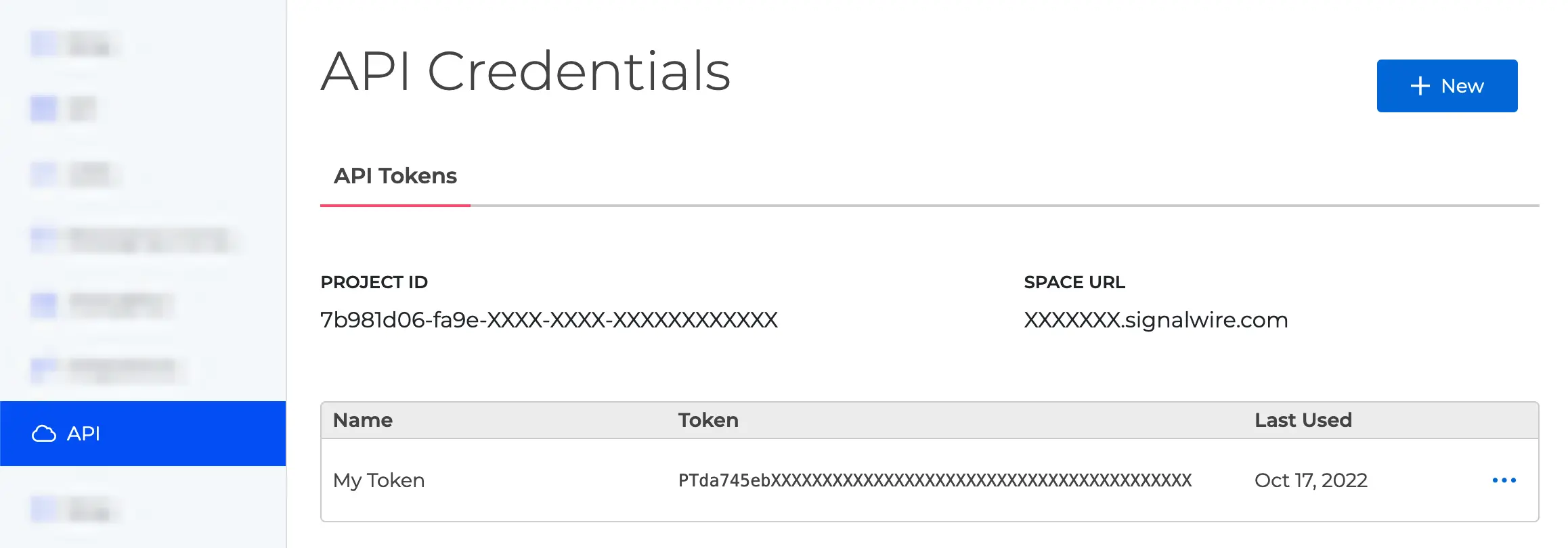
The API Credentials page on the SignalWire Dashboard.
Most SignalWire API endpoints require authentication using HTTP Basic Auth. HTTP Basic Authentication requires you to send an Authorization header with your Project ID and API Token.
Each project has its own Project ID and API Authentication Tokens you will need to use when making a request to the API. Some methods will also require you to pass your Space URL.
- Project ID: Use this UUID to specify your Project to the API.
- Space URL: Use this URL to access SignalWire APIs.
For example:
https://{Your_Space_Name}.signalwire.com/api/calling/calls - API Tokens: Authentication tokens to access the API. You can have multiple tokens for each project.
API tokens are protected and used server-side to access the API. The tokens we refer to when using Video, Chat, or Fabric products in the browser are not the same tokens we generate and store here. Instead, you use your API token to call an endpoint that generates a client-side token:
- Video Room Tokens: Generated via the Create Room Token endpoint. See our Simple Video Demo.
- Chat Tokens: Generated for chat applications. See our Simple Chat Demo.
- Subscriber Access Tokens (SAT): Generated via the Create Subscriber Token endpoint for Fabric applications.
For more details on authentication methods, see the REST API Authorization guide.
Generate a new API token
To generate a new API token, click the blue "+ New" button. A "New API Token" form will open. Give your token a descriptive name to help differentiate it in logs and for debugging.
You can edit the token name and allowed scopes later by clicking the ⋯ button and selecting "Edit." You may also delete a token from the same dropdown menu or the Edit page.
Token scopes
API tokens can be configured with specific scopes that limit which APIs the token can access. When creating or editing an API token in the Dashboard, you can select which scopes to enable under the "Permissions" section.
For security best practices, only enable the scopes your application actually needs. This limits the potential impact if a token is compromised.
If your API request returns a 401 Unauthorized error,
verify that your API token has the required scope enabled for that endpoint
in the Dashboard.
Use an API token
All API requests must be made with proper authentication over HTTPS. Calls made over plain HTTP or without auth will fail.
Find the correct credentials structure for each specific call in the SDK Reference, REST API Reference, or in a specific Guide you may wish to follow.
For a general example, we can look at how to list video rooms with the REST API:
- cURL
- Node.js
This example uses curl with the -u flag to make a request with Basic Auth.
curl https://<space-name>.signalwire.com/api/video/rooms \
  -u '<project ID>:<API token>'
We use the external dependency Axios to make this call, so it must also be imported and installed.
// npm install axios
import axios from "axios";

await axios
  .get("https://<space name>.signalwire.com/api/video/rooms", {
    auth: { username: "<project ID>", password: "<API token>" },
  })
  .then((response) => {
    console.log(JSON.stringify(response.data));
  })
  .catch((error) => {
    console.log(error);
  });
Or with the Realtime SDK, you may use these credentials to create a Video Client.
import { Video } from "@signalwire/realtime-api";

const video = new Video.Client({
  project: "<project ID>",
  token: "<API token>",
});
Note that you are not required to pass the Space URL when working with the SDK.